
.png)
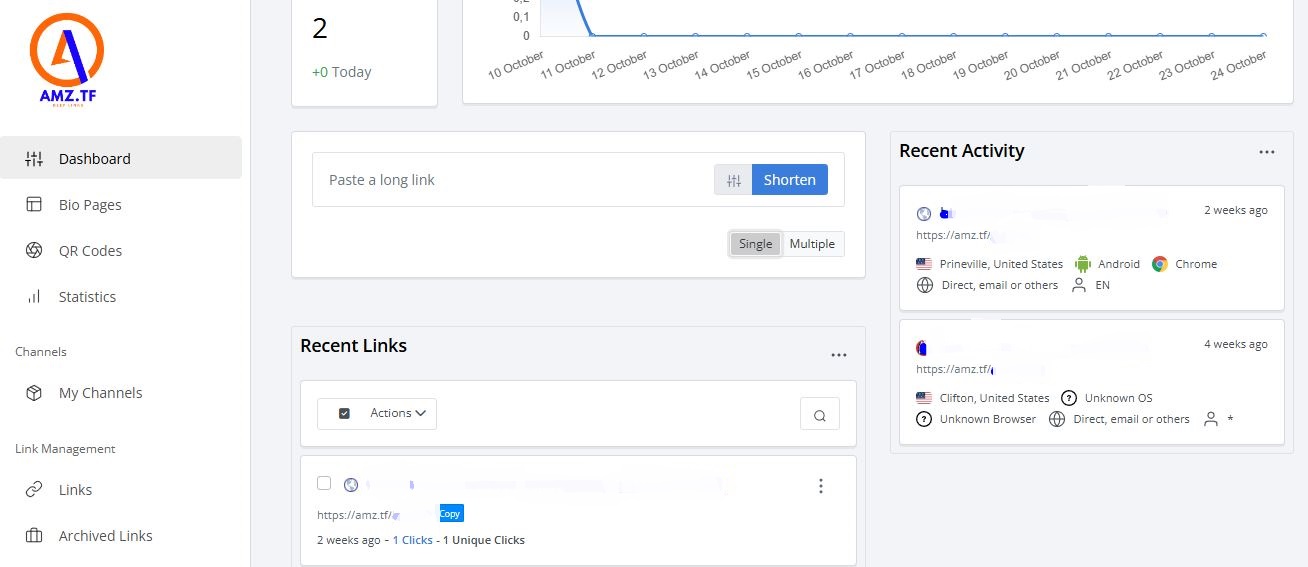
Creating a short URL on amz.tf is a quick and easy process. In this guide, we'll walk you through how to shorten Amazon product links in just a few steps, including how to create multiple short links at once.
Steps to Create a Short URL
Log in to your account
Before you start, log in to your account at amz.tf. If you don’t have an account yet, sign up by following the registration process on the website.
Find the Amazon product link
Go to Amazon and find the product you want to promote. Copy the full URL from your browser's address bar.
Example of a long URL:
https://www.amazon.com/product-example/ABC12345/ref=as_li_tl?ie=UTF8&tag=affiliate&camp=1789&creative=9325&linkCode=as2&creativeASIN=B08N5WRWNW
Paste the link on amz.tf
Once you're logged into amz.tf, you'll see a field labeled "Create a new short URL" in your dashboard. Paste the long Amazon product URL into this field.
Customize your short link (optional)
amz.tf allows you to customize your short link. You can choose a specific name to make the link more recognizable or relevant to your promotion.
Example:
From https://amz.tf/xyz123, you could change it to something like https://amz.tf/super-deal.
Create the short URL
After entering the link and adding any customizations, click the "Create short URL" button. The system will generate a shortened URL that you can copy and share.
Create multiple short links (optional)
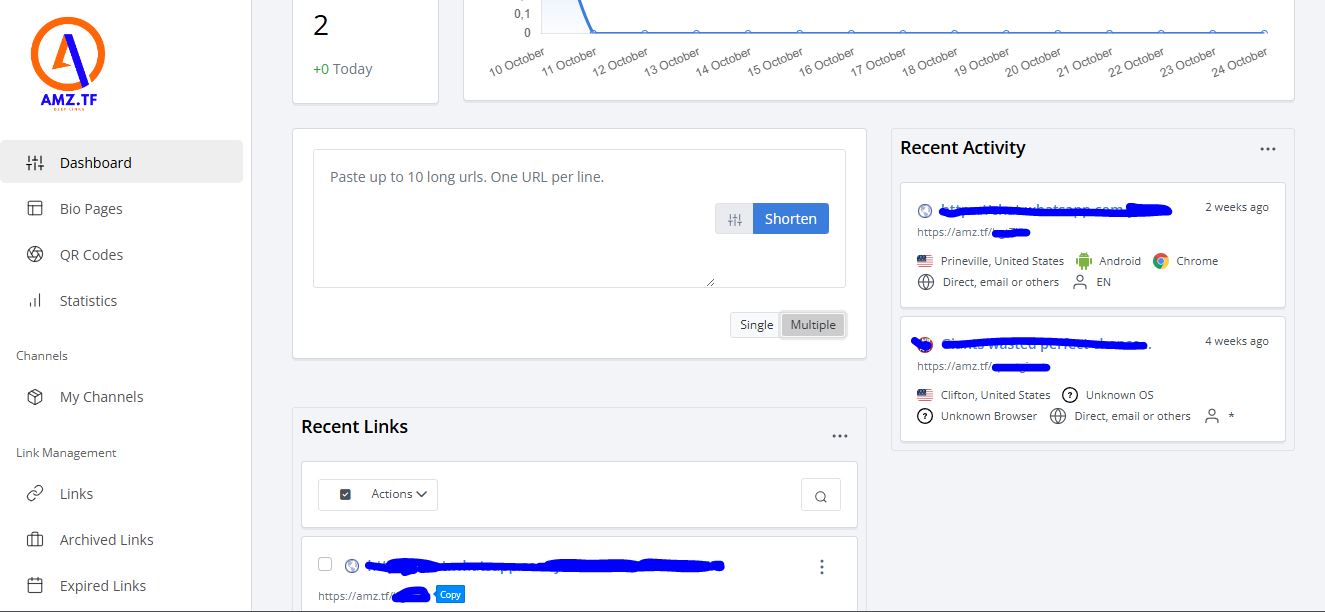
If you have several Amazon product links that you want to shorten at once, amz.tf allows you to create multiple short links in bulk. You can simply upload a list of URLs, and the system will generate short links for each of them, saving you time and effort.
Share your short link
Now that you have generated the short link, or multiple links, you can share them across your marketing channels, such as social media, email, or instant messaging. This will make your links easier to remember and more appealing to your audience.
Benefits of Using a Short URL
- Cleaner and more professional links: Short URLs are aesthetically better and easier to share than long Amazon URLs.
- Easy to share: You can quickly paste and send short links across any platform without worrying about character limits.
- Trackable performance: amz.tf offers tracking tools to analyze how many people click on your link, where they come from, and what devices they are using.
- Efficient link management: The ability to create multiple short links at once makes managing large-scale promotions and campaigns more efficient.




 SUPPORT