

.png)
In today’s digital age, Facebook is a primary platform for connecting, sharing, and interacting online. Yet, one feature has puzzled many users: why does Facebook open external links in its own in-app browser rather than directing them to official apps, like Amazon, YouTube, or Twitter? Understanding the reasons behind Facebook’s design choice reveals more about how the platform works to retain engagement and manage user experience.
1. Maximizing User Retention and Engagement
Facebook’s primary objective is to keep users on its platform for as long as possible. By using its own in-app browser, Facebook ensures that users don’t leave the app entirely. Allowing links to open in separate official apps would mean users might not return to Facebook right away. Retaining users within its ecosystem is essential for Facebook, as it increases the likelihood of interaction with more content, ads, and notifications, which boosts engagement metrics.
2. Enhanced Data Collection
When users click on a link within Facebook, the in-app browser provides a direct channel for tracking user activity without interference from external apps. Facebook can monitor how long users stay on a page, what actions they take, and how they interact with content. This data helps Facebook refine its algorithms, understand user interests, and improve ad targeting, all of which are central to its business model. Directing users to official apps could mean losing this valuable data.
3. Ad Revenue Optimization
Facebook’s in-app browser allows for custom tracking and ad integration, which is critical for monetization. By keeping users within its browser, Facebook can manage ad impressions and clicks more effectively, capturing ad revenue that would otherwise be missed if users left the app. This feature ensures that advertisers see consistent performance, keeping them invested in the platform for their ad campaigns.
4. A Controlled User Experience
Opening links within Facebook’s own browser gives the company greater control over the user experience. Official apps, each with unique interfaces and policies, could disrupt the consistency that Facebook strives for. The in-app browser ensures a standardized experience for users clicking on external links, minimizing the risks of unpredictable performance or functionality that external apps might introduce.
5. Security and Privacy Considerations
By using its own browser, Facebook can manage and mitigate potential security issues, such as malware or phishing attempts that could arise from third-party apps. The in-app browser provides an additional layer of security, enabling Facebook to monitor interactions and alert users if anything suspicious occurs. It also allows Facebook to apply its own privacy standards rather than relying on external applications with varying privacy policies.
6. Deep Links as a Limited Solution
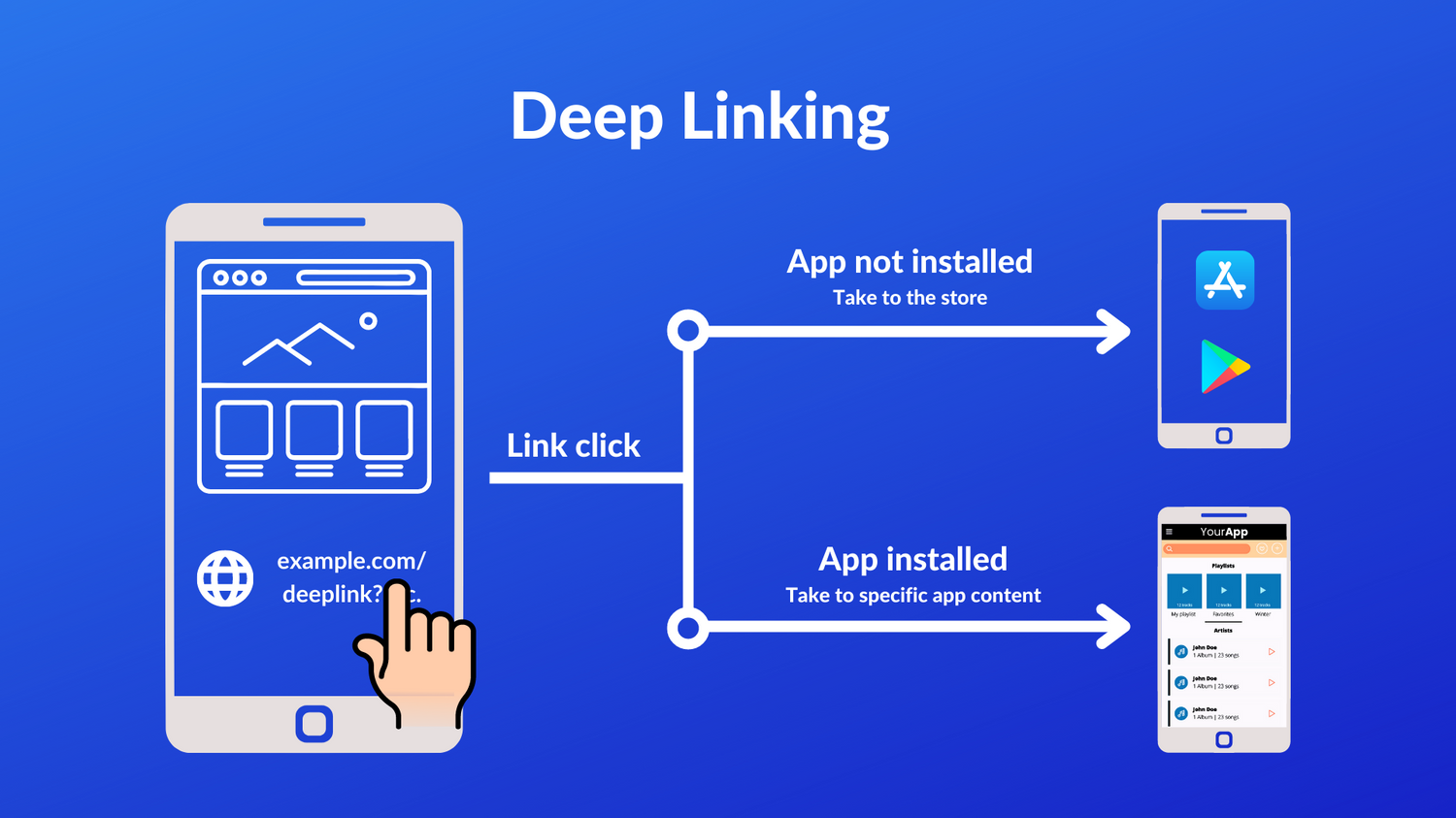
While deep linking technology allows some apps to open directly when a link is clicked (such as certain links for Amazon or YouTube), the functionality is often limited within Facebook’s app. Facebook selectively supports these links, and there’s no guarantee that they will work as expected. This selective compatibility is often due to Facebook’s efforts to maintain control over the browsing experience.
How to Work Around Facebook’s In-App Browser
Although it’s not possible to completely bypass Facebook’s in-app browser, there are some workarounds that users can try:
- Open in External Browser: When a page opens in Facebook’s in-app browser, click on the three-dot menu in the upper right corner and select “Open in browser” to access the link in a preferred browser.
- Copy and Paste the Link: Copy the link and paste it directly into the official app or a web browser outside Facebook for a better viewing experience.
- Direct App Links: Some apps, like Amazon, offer a “deep link” functionality that may open the app directly, though this varies depending on device compatibility and Facebook’s settings.
Conclusion
Facebook’s decision to open links in its own in-app browser is a strategic choice designed to maximize user engagement, gather data, optimize ad revenue, and ensure a controlled, secure experience. While this approach can be limiting for users who prefer official apps, Facebook’s in-app browser remains a key tool for managing the platform’s ecosystem. As the platform evolves, users can expect Facebook to continue balancing convenience and control to maintain its status as a leading social media service.


 SUPPORT